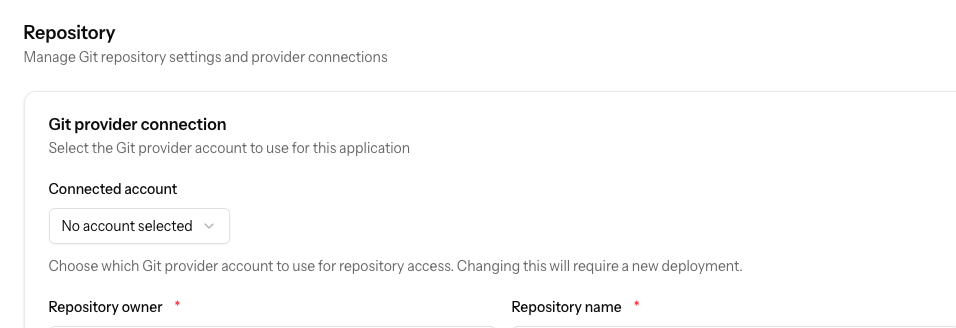
In the application settings, under the Repository header, it's possible to connect your Git account (bitbucket in our case). We've noticed that when a different account (that does not have access to that connected Git account, because it's personal) inside the team tries to edit environment variables, they are not allowed to do so because they do not have access to the Git account.
Is it possible that the Git provider connection can be excluded from the form validation if it's not being changed?
To reproduce:
- Connect bitbucket account to ploi.cloud account
- Create application with that connected account
- Changing .env variables etc. works
- Login to ploi.cloud with different account inside the team
- Go to application and try to make changes to .env variables
- Form validation error
- If you connect a bitbucket account to the ploi.cloud account, making changes works again.
Our solution for now has been to remove the connected Git account (which also hides commit messages etc. from the interface unfortunately).